How users of DataProQ LLC applications consent to receive text messages,
what we send, and how to stop them.
Program description
DataProQ LLC sends one-time passcodes and account security alerts by SMS to
users who choose to sign in with a phone number. All messages are
transactional. We do not send marketing or promotional text messages.
No mobile information will be shared with third parties or
affiliates for marketing or promotional purposes. Text messaging
originator opt-in data and consent will not be shared with any third party.
See our Privacy Policy.
How users opt in
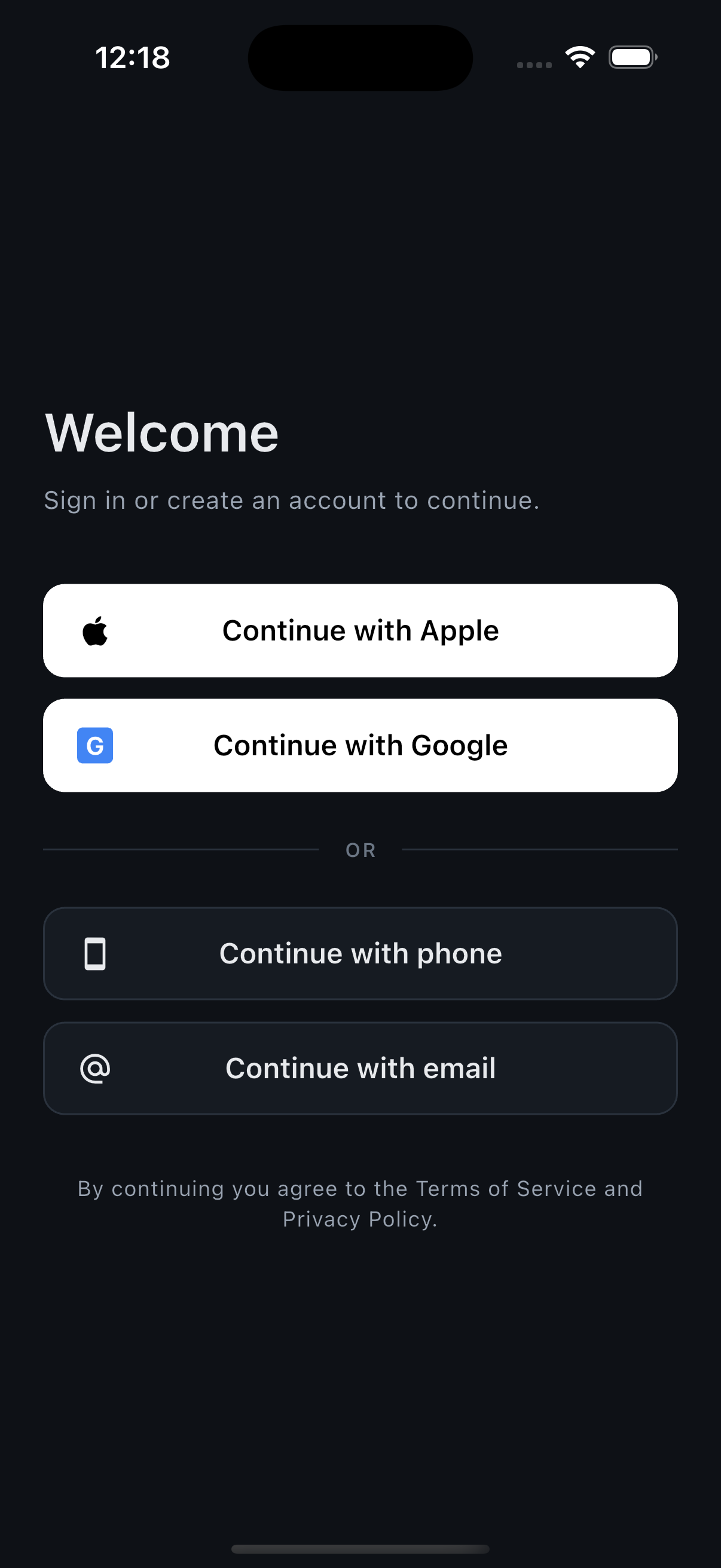
On the welcome screen the user selects Continue with phone.
Phone sign-in is one of four options and is never required.
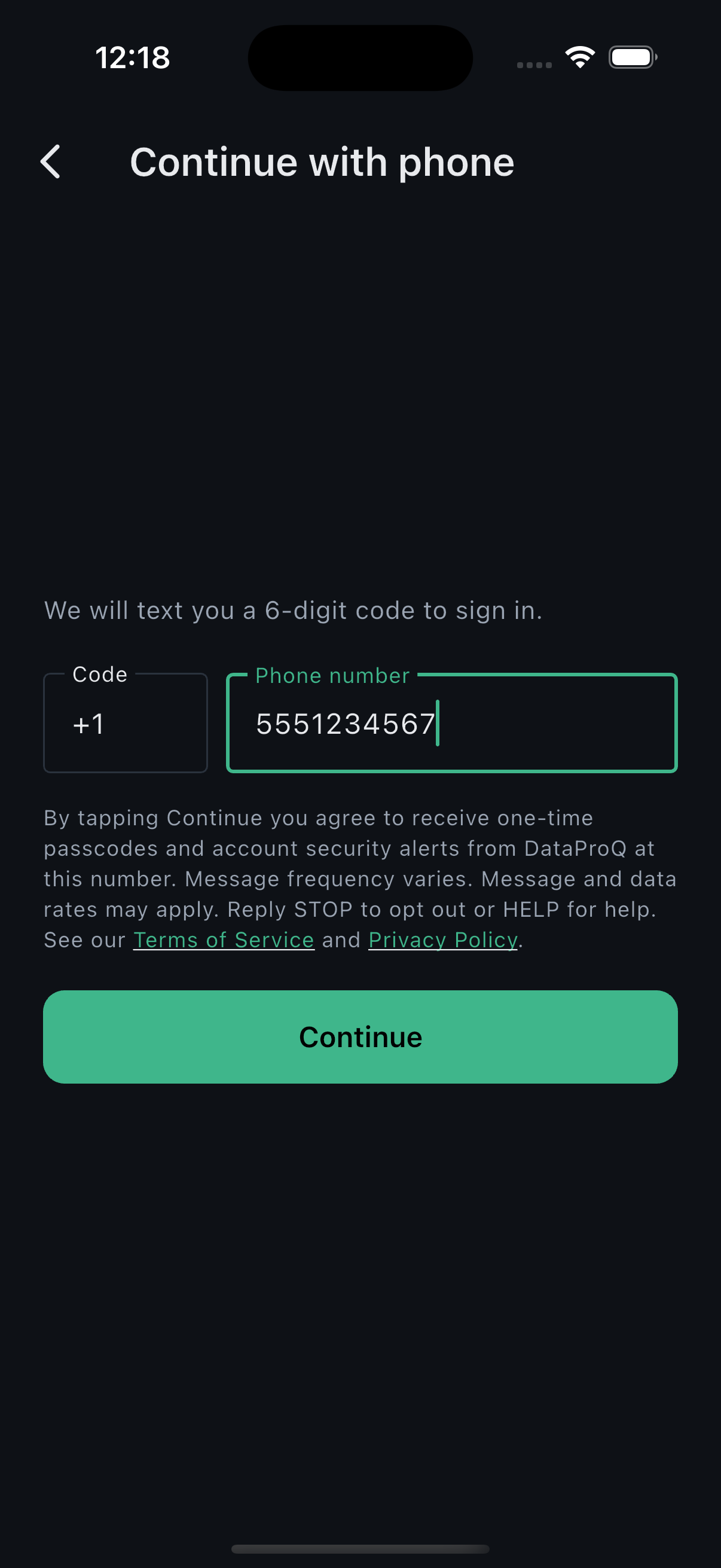
The user enters their own mobile number. The consent disclosure below is
shown directly beneath the number field, above the button.
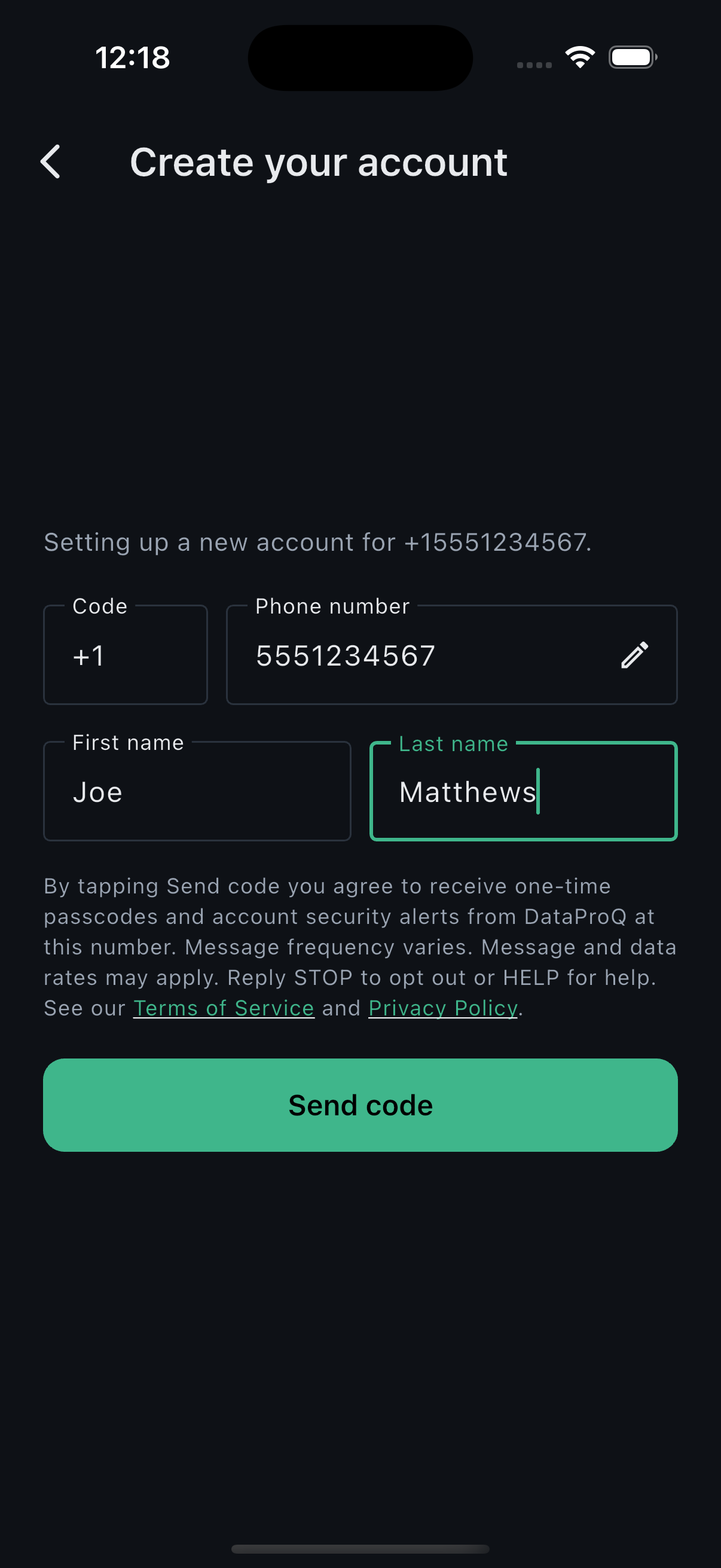
The user taps Continue, then Send code.
The disclosure is shown again above the Send code button. Tapping Send
code is the affirmative act of consent, and we record the date, time and
method.
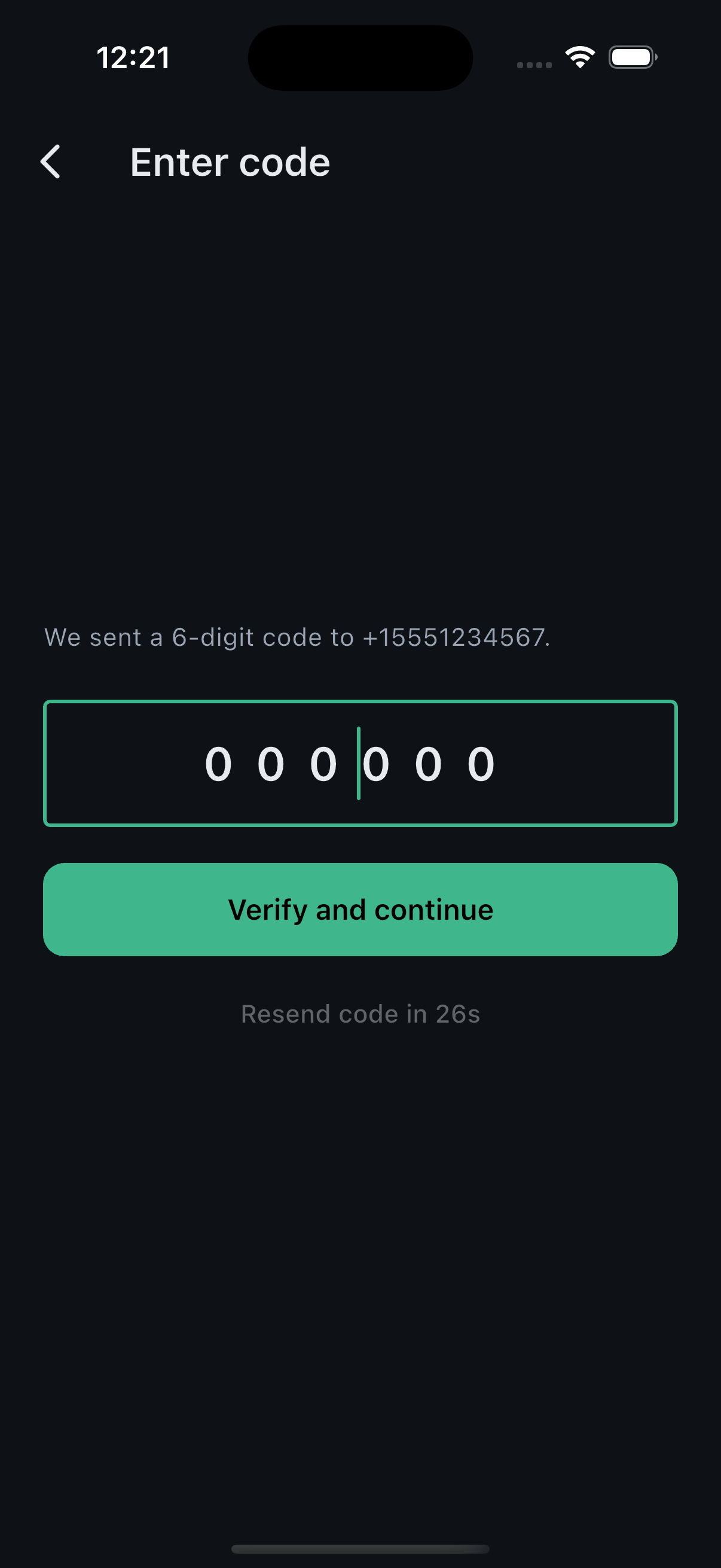
A one-time passcode is sent to the number entered. The user enters the
code to finish signing in.
Consent language shown in the app
By tapping Continue you agree to receive one-time passcodes and account
security alerts from DataProQ at this number. Message frequency varies.
Message and data rates may apply. Reply STOP to opt out or HELP for help.
See our Terms of Service and
Privacy Policy.
The same disclosure is shown again before the code is sent, with "Send code"
in place of "Continue".
Screenshots of the opt-in flow
1. Welcome screen. Phone sign-in is optional.2. Number entry, with the consent disclosure above the
Continue button.3. The disclosure is repeated above Send code, which is the
affirmative consent action.4. Passcode entry after the code is sent.
Message frequency
Message frequency varies with your activity — typically one message per
sign-in attempt or account security event. Message and data rates may apply.
Sample messages
DataProQ: Your one-time password is [123456]. It expires in 10 minutes.
Do not share this code. Reply STOP to opt out.
DataProQ: Use [654321] as your verification code to complete your login.
This code will expire in 10 minutes. Reply STOP to unsubscribe.
DataProQ: A new sign-in to your account was detected from a new device.
If this wasn't you, reset your password at dataproqllc.com. Reply STOP
to opt out.
How to opt out or get help
Reply STOP to any message to stop receiving texts. You may
also reply CANCEL, QUIT, OPTOUT, UNSUBSCRIBE, STOPALL, REVOKE or END. Reply
START to resubscribe. Reply HELP for help,
or email joe@dataproqllc.com.
Opting out does not delete your account; you can still sign in with Apple,
Google or email.
Carriers
Carriers are not liable for delayed or undelivered messages.
Contact
DataProQ LLC
3471 Indian Queen Ln
Philadelphia, PA 19129 joe@dataproqllc.com